Types of Keyless Entry Systems Explained
Keypad, Bluetooth, RFID/prox, and cloud-based keyless entry explained: how each works, residential vs commercial fit, and the pros and cons of each.
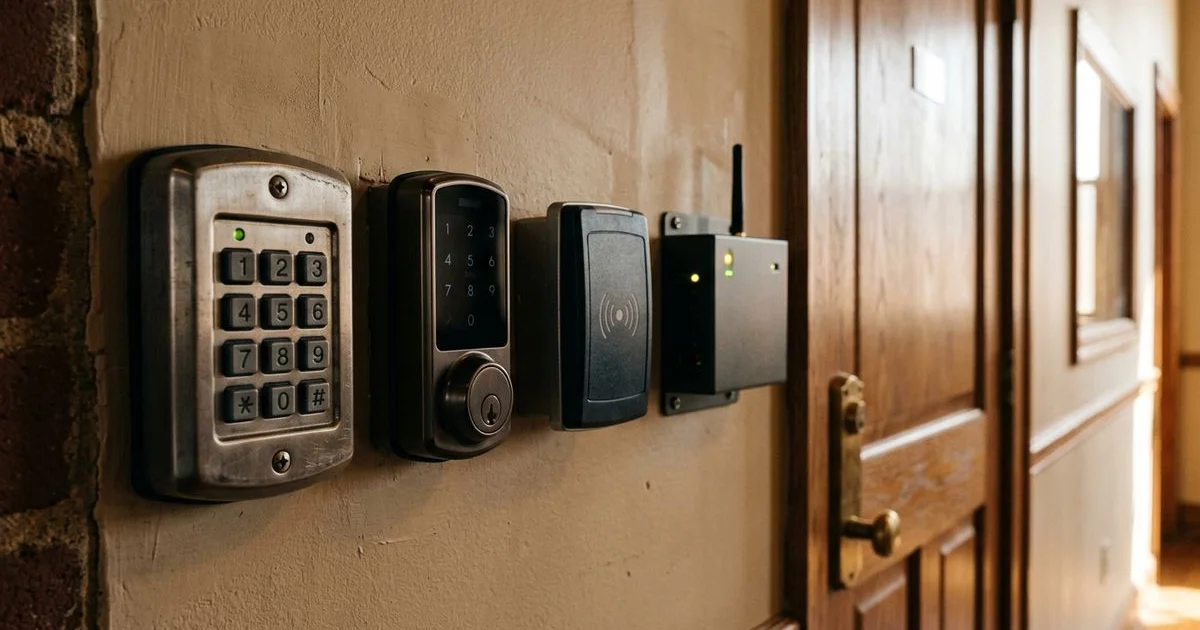
“Keyless entry” covers a wide spectrum of hardware. A $90 mechanical keypad and a $3,500 cloud-based access control system are both “keyless” — but they solve different problems. This is a plain-English breakdown of the four main types and where each fits.
1. Mechanical and Electronic Keypad Locks
The simplest keyless option: a keypad on the door, a code to enter, the door opens. No phone, no internet, no central system.
How it works: the keypad sits in the lock itself. You program a master code and (on most models) several additional codes for family or staff. Battery-powered with low-battery alerts. Many have a mechanical key backup.
Pros: simple, reliable, no app or network needed, low cost.
Cons: no audit trail (you can’t tell who entered which code when), codes spread by word-of-mouth, and revoking a code means changing it for everyone.
Best for: family homes, small rental properties, low-stakes guest access.
2. Bluetooth Smart Locks
A deadbolt with Bluetooth (and often Wi-Fi via a hub). Your phone is the key — open the door by approaching with the app running, or tap a button in the app.
How it works: the lock pairs to your phone via Bluetooth. The phone’s location and authenticated app act as the credential. Many models add Wi-Fi or a hub for remote access (lock the door from work, let someone in remotely).
Pros: unlock-as-you-approach feel, mobile control, activity logs in the app, can issue and revoke guest codes individually.
Cons: depends on app and phone working; battery dependency on both ends.
Best for: modern homes, families with multiple users, owners who already live in a smart-home ecosystem.
Schlage Encode (Wi-Fi), Yale Assure (BLE + optional Wi-Fi), August Smart Lock, Level Lock are common picks. See smart lock vs traditional deadbolt for the trade-off discussion.
3. RFID / Prox / NFC Card Systems
Used widely in offices, gyms, and small businesses. You wave a card or fob at a reader; the door unlocks.
How it works: the reader is mounted beside the door. Each user has a card or fob assigned to them in the system. The system grants or denies access by reading the credential’s unique ID.
Pros: fast, no codes to remember, easy to issue and revoke per person, audit trails.
Cons: cards can be lost or copied (mitigated by encrypted credentials), requires an electric strike and wiring.
Best for: small offices, gyms, multi-tenant buildings, anywhere with frequent staff change.
HID Global is the dominant credential brand. Brivo and ProdataKey (PDK) are common cloud-based platforms that include RFID readers.

4. Cloud-Based Access Control
The full enterprise-style system, scaled down for small business. Doors connect to readers, readers connect to a cloud platform, the platform manages credentials, schedules, and logs.
How it works: a small controller manages one or more doors. Cloud platform stores users, schedules, and audit logs. Credentials can be cards, fobs, mobile phones (Bluetooth or NFC), or codes.
Pros: full audit trail, remote credential management, schedules (e.g. “this user can enter weekdays 8-6 only”), integration with alarm and video systems.
Cons: higher initial cost, requires wiring and electric strikes, depends on internet (most platforms have offline-mode fallbacks).
Best for: small businesses ready to leave keys behind entirely; property managers; multi-location operators.
Brivo and PDK are our most common cloud-based installs.
Which Type to Pick
Quick rules of thumb:
- A family home with two adults and occasional guests: Bluetooth smart deadbolt (Schlage Encode, Yale Assure)
- A rental property or Airbnb: electronic keypad lock with code-per-guest
- A small office with 5-25 staff: RFID/prox system with cards
- A growing small business with multiple shifts or scheduling needs: cloud-based access control
For most homes, we recommend a smart deadbolt on the entry door and a mechanical Grade 1 deadbolt on secondary doors. That gives you convenience where it matters and simplicity where it doesn’t.
Pair With the Right Door Hardware
A smart lock is only as strong as the door behind it. See door and jamb reinforcement — a keypad on a weak jamb is still a weak door.
Talk to a Keyless Entry Specialist
Call (659) 399-0184 for a phone consult or to schedule an on-site walkthrough. For the full service range, see electronic access and smart locks.
Frequently Asked Questions
What's the difference between a keypad and a smart lock?
Which keyless system is best for a small office?
Do keyless locks still have a key backup?
Related Guides
Are Smart Locks Safe and Reliable?
Are smart locks safe and reliable? An honest look at security, battery backup, hacking concerns, and which smart lock models a Huntsville locksmith trusts.
Smart Lock vs Traditional Deadbolt — Which to Choose
Smart lock vs traditional deadbolt: compare convenience, cost, and security, see hybrid options, and find the best fit for your home or business.